Log in using mutual authentication
Mutual authentication requires that both IDaaS and your Entrust Identity app recognize each other. If mutual authentication is necessary to access your application protected by IDaaS, when you log in to IDaaS you see a challenge that you must match on your Entrust Identity app (as shown in the figure below).
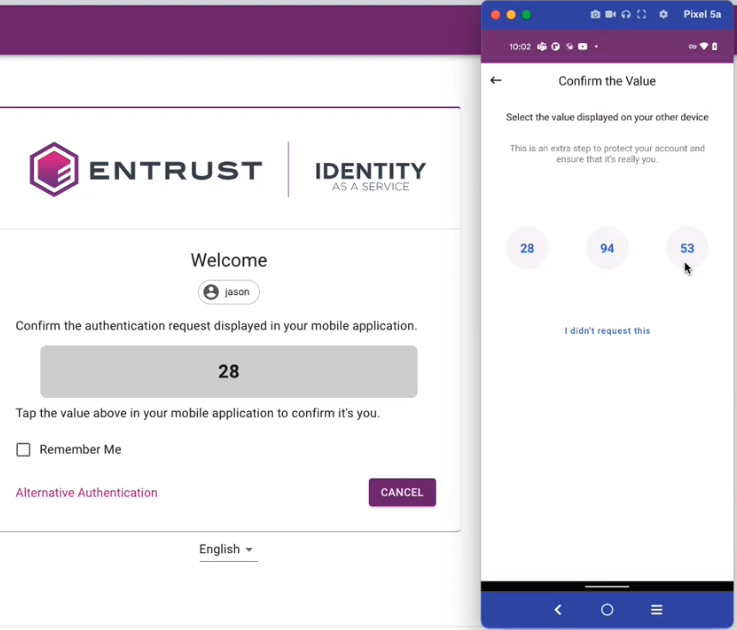
Log in using mutual authentication
Enter your IDaaS User ID and Password and then click Login. An authentication challenge appears on the log in screen.
Open your Entrust Identity app.
Tap  (Actions) to open the push notification on your Entrust Identity app.
Tap the challenge that matches the challenge on the IDaaS log in screen. You are now logged in.